
Every blogger I know complains about Kit’s pricing. And every blogger I know, sooner or later, ends up adding their card details anyway. It happened to me!
I run a small crafts newsletter that’s still in the “growing slowly but surely” stage, and I also manage email for a client in the higher-paying niche whose list is well past 10,000 subscribers.
So I get to see Kit from both ends of the telescope, and I can share insights that I would relate to, myself.
There are already ten of the Kit reviews on the first page of Google, and half of them clearly haven’t logged into the tool since it was still called ConvertKit. What I want to give you instead is the honest version: what Kit is actually like to live in as a SMALL blogger, what’s worth paying for, what isn’t, and a couple of newer things almost nobody else is talking about yet that I am STOKED about.
Masha is a former Chief Marketing Officer in a group of wellness companies, former owner of a boutique Ads Agency, and currently a blogger and blogging VA. She works in digital marketing since 2016.
This post contains affiliate links. If you sign up through one of them, I may earn a commission at no extra cost to you. I only recommend tools I actually use — and you’ll see pretty quickly that I use this one a lot.
What Is Kit (Formerly ConvertKit)?
Quick housekeeping, everyone: ConvertKit rebranded to Kit.
It’s an email marketing platform built specifically for creators: bloggers, business owners, newsletter writers, YouTubers, course sellers, that whole world.
It cares more about helping you grow and monetize an audience than about making your emails look like a magazine spread. Hold that thought, because we will get to it later.
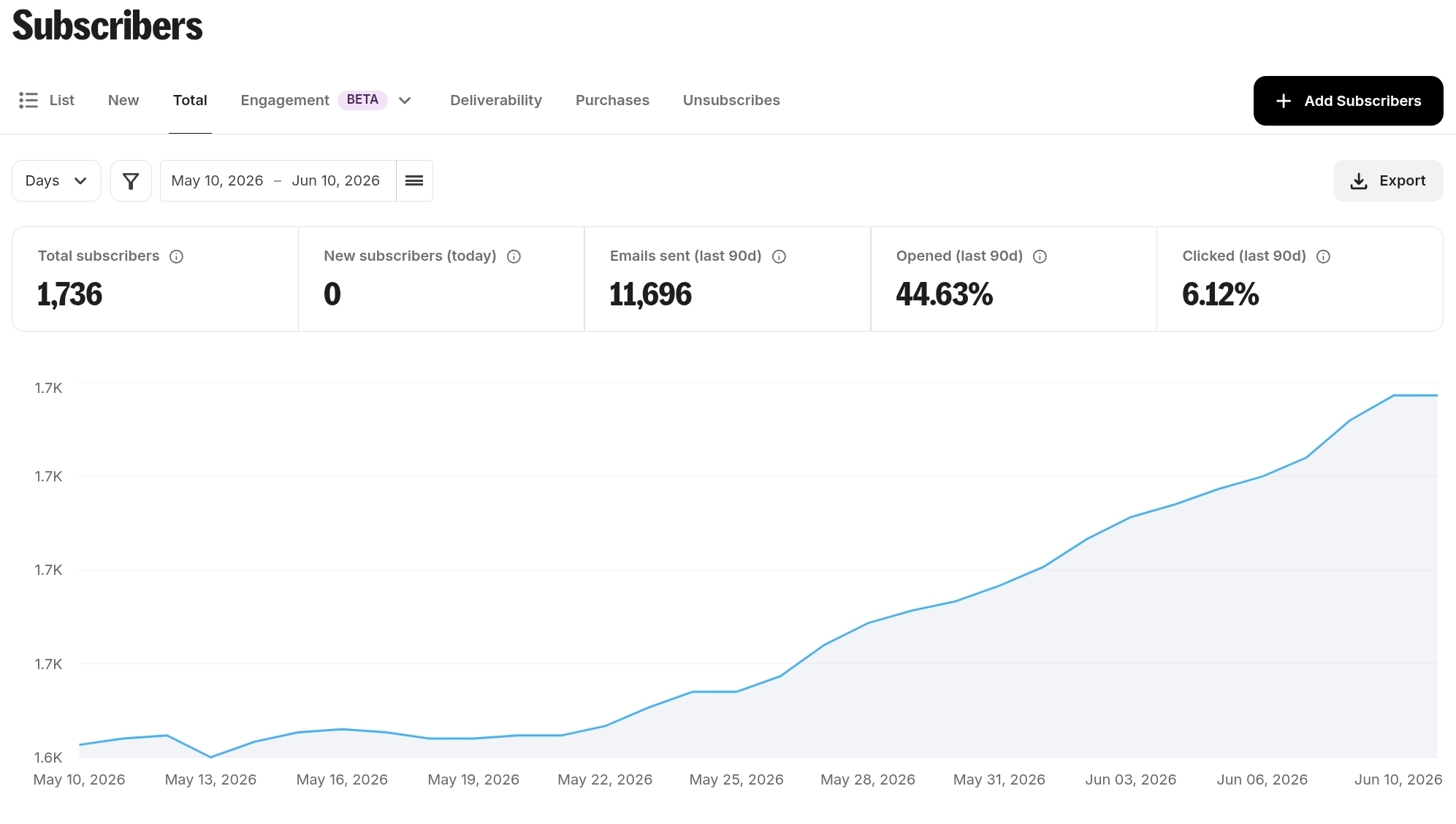
Before we start, here are my numbers to prove that I am actually using Kit every day for my small blog. I work alone and I don’t have a huge audience.
Who Kit Is Actually For (And Who Should Skip It)
I’d rather save you time than keep you reading, so let me be blunt about fit.
Kit is a strong fit if you:
- Run a content-driven blog or newsletter and grow mostly through lead magnets and opt-ins
- Want powerful automation and tagging without a confusing interface
- Plan to monetize your list though products, paid recommendations, ads, affiliates
- Value email getting delivered over email looking designed
- Do not have budget to pay for 10,000 subscribers and don’t have time at the moment to set up all the automations and sequences. Just need a sturdy tool for sending emails.
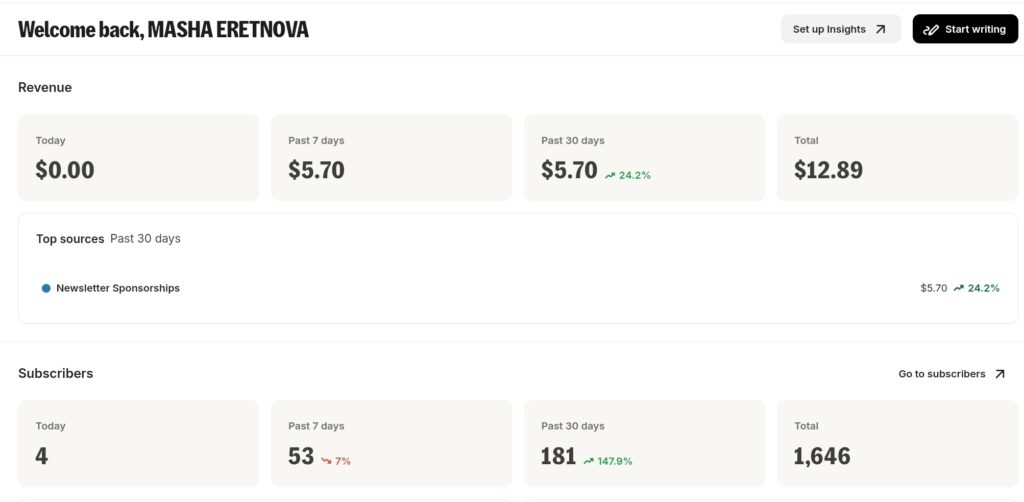
- You want a clean simple dashboard. Kit just upgraded theirs (June, 2026) and now you can see your earnings and subscribers stats right when you log in:
You should probably skip Kit if you:
- Want gorgeous, drag-and-drop, design-heavy emails (look at Flodesk instead)
- Are shopping purely for the cheapest paid plan (MailerLite will undercut it, although I have used it and would not go back)
- Need a full traditional small-business marketing suite more than creator tools
- Need to run multiple emails in one with option to exclude segments when scheduling emails.
- You have under 250 subscribers, you grow slow and you need more than 1 automation. Then you should look at Mailerlite but ONLY if you grow very slow.
The Free Newsletter Plan (The Real Reason To Start)
Here’s the single best reason to try Kit with zero risk: the free Newsletter plan covers you up to 10,000 subscribers.
When they introduced it, I rushed to sign up as you get most of the important features…while paying zero dollars!
That free tier includes unlimited broadcasts, unlimited forms and landing pages, and the ability to sell digital products and subscriptions.
The catch — and there’s always a catch — is that you’re limited to a single automation and a single email sequence. No visual automation, or paid recommendations, or ads.
For a brand-new blog list, honestly? Fantastic offer.
The Features That Matter For Bloggers
Rather than march through every spec, let me walk you through the things I actually touch in a normal week.
Tagging and segmentation
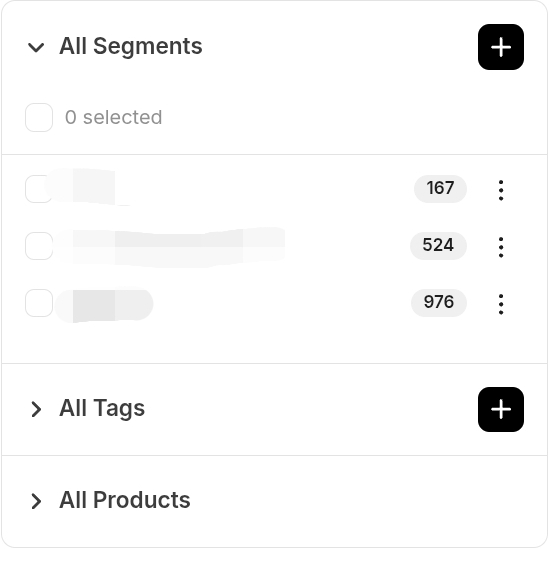
Kit doesn’t really do “lists” the way older platforms do. Everyone lives in one subscriber pool, and you organize them with tags and segments.
I started tagging people by interest. Why is that important?
I have two main audiences, painters and crafters. My average open rate when I send an email to all is between 45 and 50%. Guess, if I send craft post to craft audience only, will the open and click rates be higher? Of coure.
This is the feature that makes Kit feel almost like a lightweight CRM and will help you target people with future paid products or affilaites better.
Visual automations (great for 99% of what bloggers need)
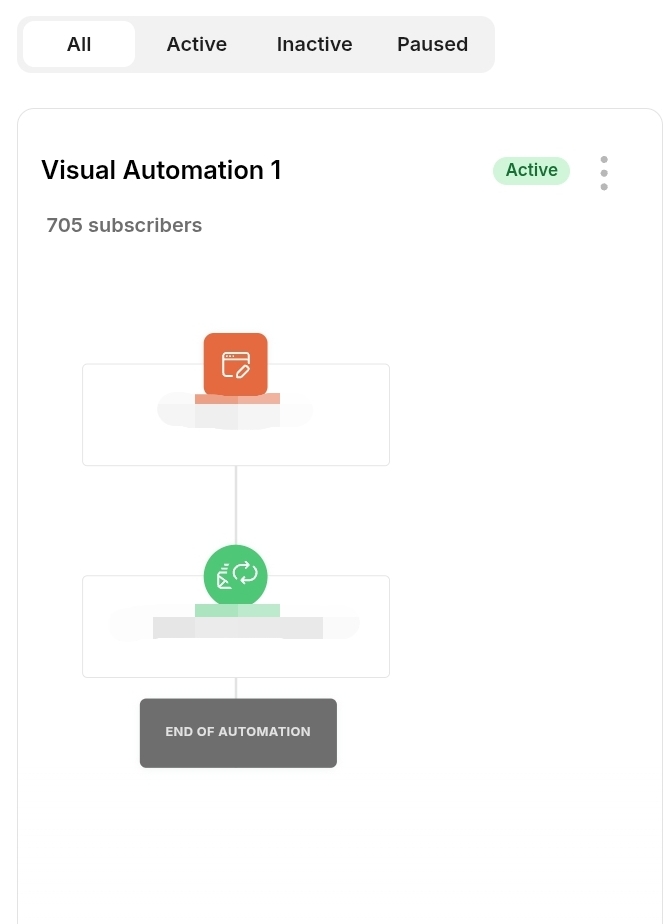
The visual automation builder is one of Kit’s real strengths — clean, logical, and powerful enough for basically anything a blogger needs: welcome funnels, lead-magnet delivery, tagging based on behavior, simple if-this-then-that flows.
I’ll be honest about the ceiling, though: if you’ve used something like ActiveCampaign or Keap, you’ll notice Kit doesn’t go as deep on complex branching logic.
For 99% of bloggers that ceiling is theoretical, you’ll never bump your head on it.
To be completely honest, I am terrible with all the sequences and automations, I have one for a mini-course and one for welcoming new subscribers.
It is very interesting to see that when you have a welcome series, the emails in it easily will have 6-7% click rate even if your regular emails have 1-2%.
The email editor
There are two types of people: who hates Kit editor and who love it.
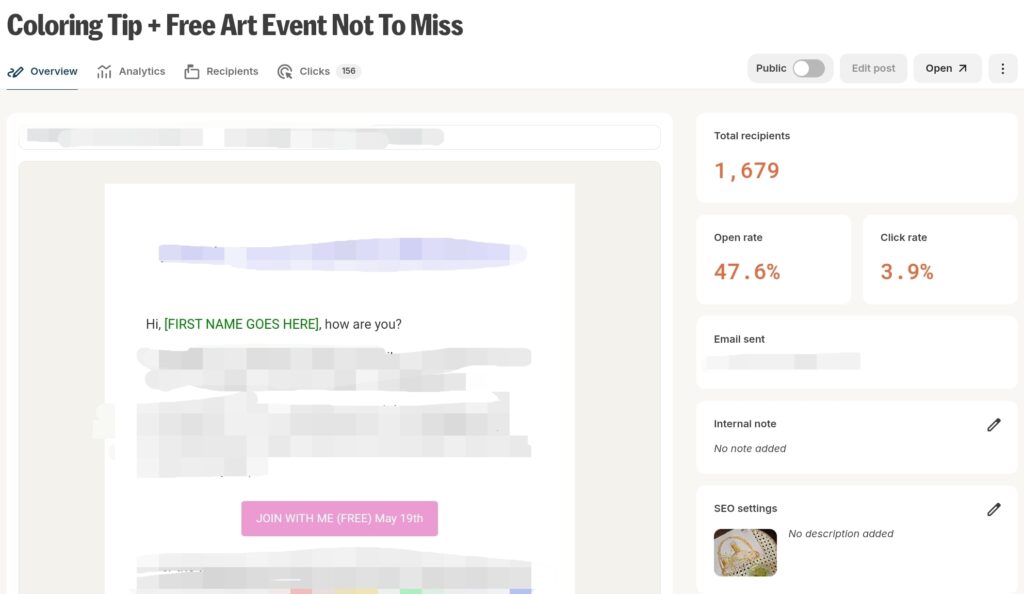
Even though I am a creative person, I do not want (nor do I have time) to spend hours designing an email. Designs do not bring me money and I don’t think I ever went..Oh this email is pretty let me buy their product without reading what the text actually says.
If you want elaborate layouts, you’ll feel boxed in (again: Flodesk is the tool people leave Kit for, and design is almost always the reason).
If you want a set of simple templates you can still edit to your liking and reuse every week, Kit is that simple.
I set up footer and header with popular links as snippets (reusable blocks), and add them to all emails.
Forms and landing pages
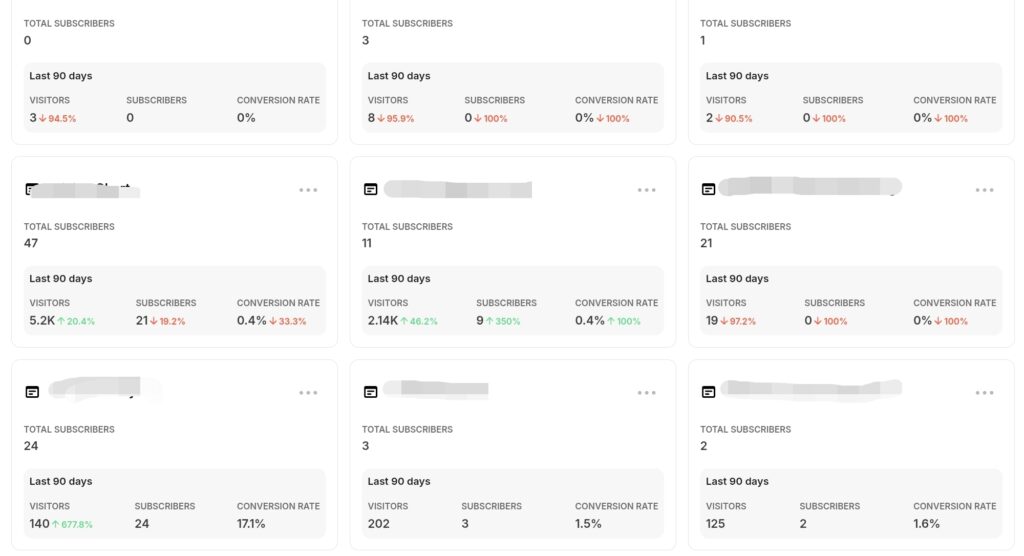
The forms and landing pages use the same straightforward builder, they’re included even on the free plan, and you can get an opt-in live in minutes without touching your website.
For bloggers without a dedicated landing-page tool, this quietly removes a whole separate subscription.
I LOVE it as I have more than 70 forms that I can just easily duplicate and edit and I don’t even need to host the freebie on my site, you can attach it to the kit form directly.
Analytics (the honest weak spot)
Here’s the most legitimate complaint in every Kit review, and I’ll echo it: the reporting is thin unless you pay up. But even on lower paid plan… I still find it somewhat shallow.
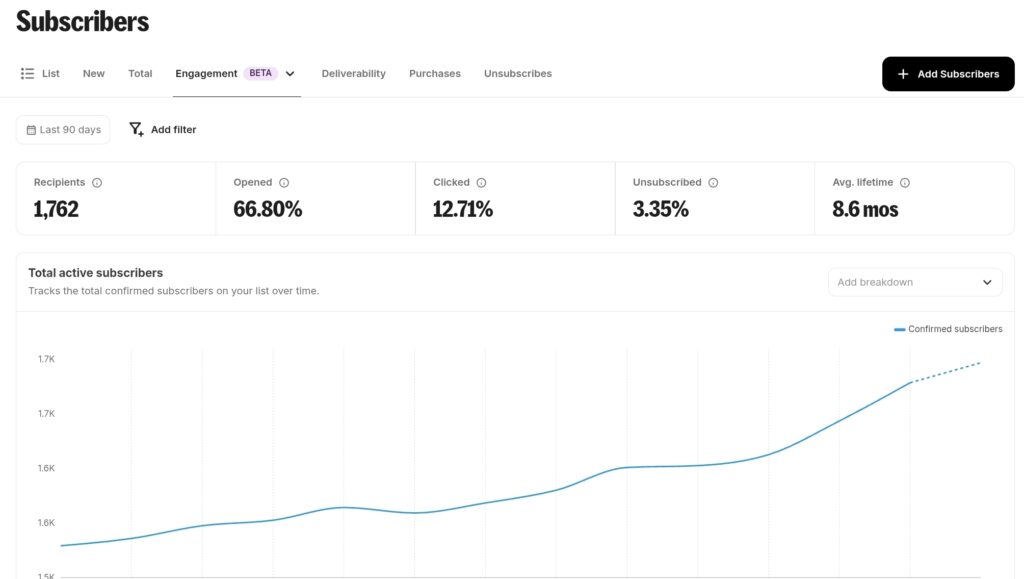
At the same time, am I really going to pretend I look deeper than understanding which forms brought new subs or what are my open and click rate? Nope.
Basic numbers are fine, but the genuinely useful insights reporting sits behind the Pro tier. If you’re a data nerd, this will frustrate you, but if you a regular person, you will probably not even look into it.
However, there is ONE thing I miss in Kit. Is filtering your subscribers by date. For example, I want to clean up my cold subscribers, but I do not want to delete this month’s cold subscribers, only those who are 6mo+ old. As of now, you need to manually go through pages of cold subs to reach that date and start deleting 50 max at a time.
Monetizing Your List With Kit
This is the part many overlook, but I think for small bloggers who pay for Kit, it is worth looking into it to shave off at least SOME of the cost.
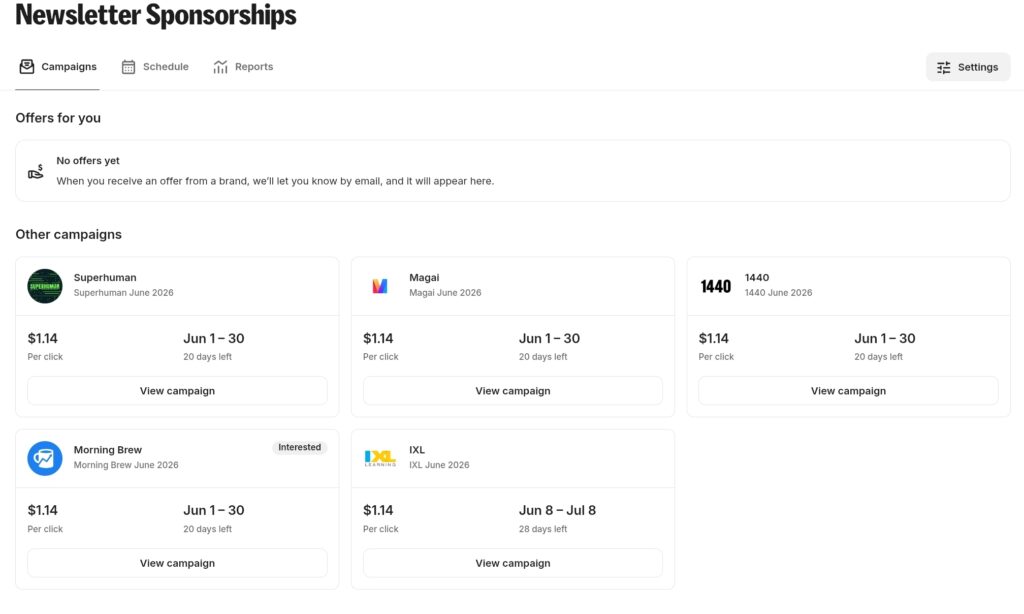
Kit gives bloggers several ways to make money directly from the platform: selling digital products, tips, paid newsletter subscriptions, the Creator Network, and Kit Ads.
I’ve actually run two of them on real lists and written up exactly what happened, including the dollar figures:
- Paid Recommendations. Here’s the complete breakdown with real numbers.
- I also tested Kit Ads on a smaller list to see whether it’s worth it before you’ve got a huge audience, and I reported exactly how much it paid me.
If monetization is even part of why you’re considering Kit, those two articles are the ones to read after this.
(One thing worth knowing up front: any monetization that involves selling requires connecting Stripe. It’s quick, but it’s mandatory.)
Pricing: What You’ll Really Pay
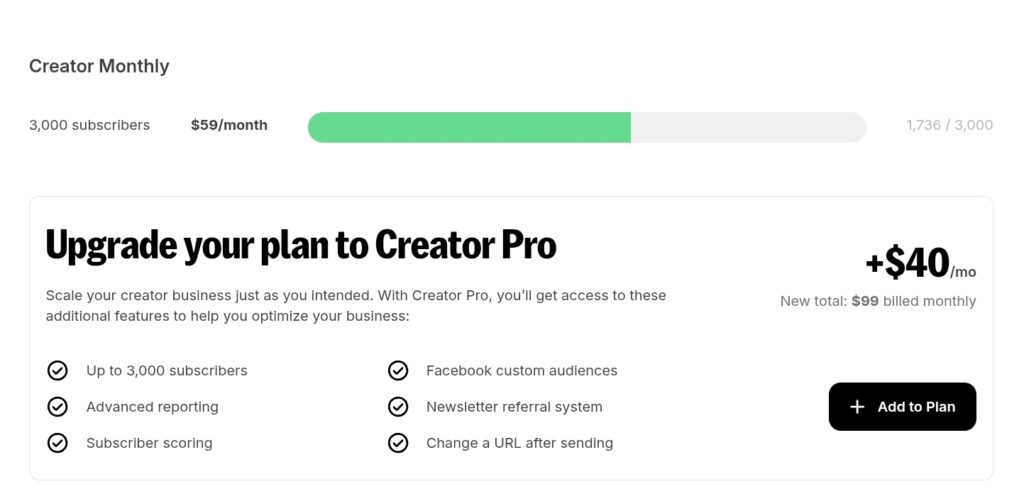
Let’s talk about the elephant. The cost climbs as your list grows, and that’s the universal gripe about Kit. It is expensive. There is no sugar coating it.
The structure is three tiers:
- Newsletter (Free) — up to 10,000 subscribers, with the limits above
- Creator — adds the full visual automation builder, unlimited sequences, integrations, and live support. Price depends on how many people you have on your list (so clean up your cold subs). For ex., I pay $59/month as my list is under 3000 people.
- Creator Pro — adds advanced reporting, a newsletter referral system, subscriber scoring, and more. I think it is $40 more expensive than Creator plan.
My honest tip: wait until the Black Friday as they usually have reduced pricing for a couple of months and DO sign up with someone’s affiliate (I will be grateful if you pick me) because affilite partners have better offers!
It gives you enough time to test things. But come prepared so you really make the most of it in case you will cancel the paid plan.
The payment increases with your list, so signing up to a paid tier before you have a solid plan to monetize it is crazy (well, I am crazy I did that so I can really experiment!)
The App Catalog: Hidden Gem
Here’s something that doesn’t get enough praise in my opinion: the free App Catalog available to paid users.
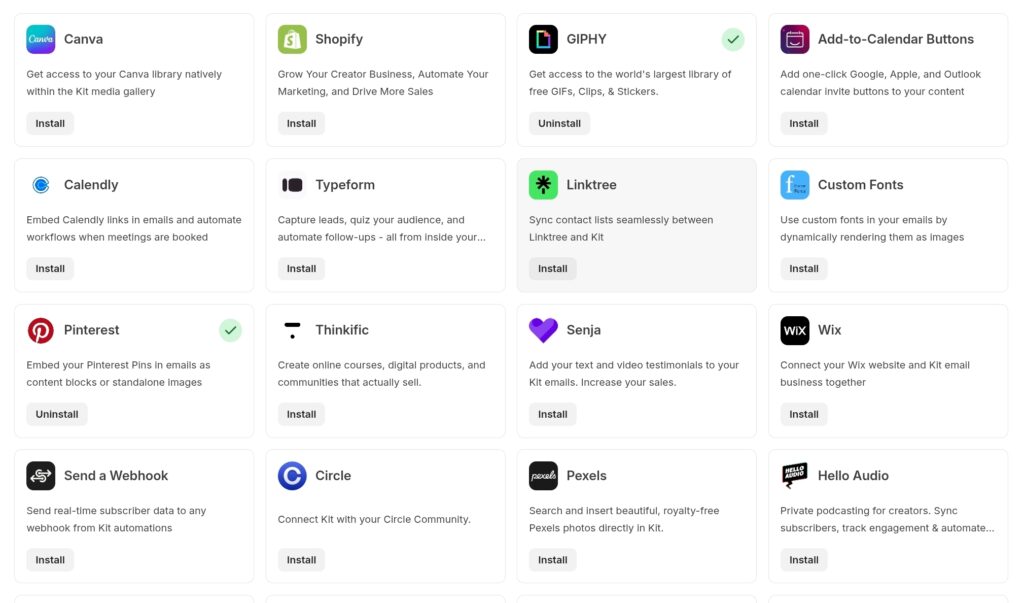
These integrations make running your emails so much more fun and this was also the first place where you would have an app that allows you to legally embed affiliates from Amazon even when it was not allowed by their T&C.
Some apps I used:
- Amazon affiliate product displays through Newsfilliate are amazing! You can create lists with products and embed them into your emails.
- Pinterest app is a great way to add a visual but also make it work for you as people may click the link, go see the pin and save it. Adds to your Pinterest account growth. I have tested it only a few times, though.
- Calendly if you have consulatations, this is amazing, as people do not need to click away.
Kit’s New AI Integration (MCP)
And now the thing none of the other reviews are covering yet, which is wild, because it’s the most interesting thing Kit shipped this year.
Kit now has two MCP servers.
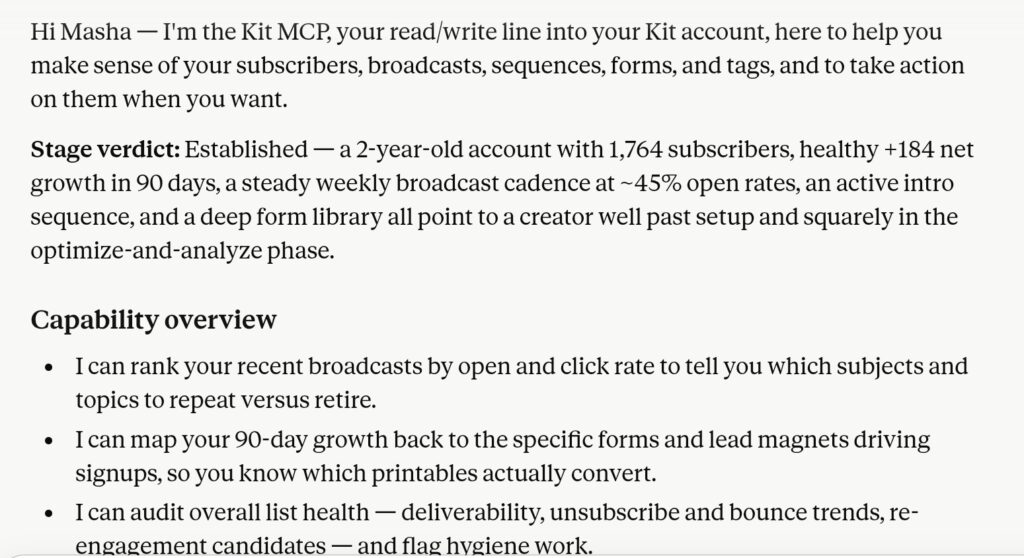
MCP (Model Context Protocol) is basically a standard way to plug an AI assistant like Claude or ChatGPT directly into a tool, so it can actually do things in your account instead of just talking about them.
Now your Claude can draft and place emails directly into your kit dashboard! It can also run a deep analysis of what people love to read and who are your ideal reader.
This is gold for every digital marketer and business owner, because you can see through all the data and replicate success.
For anyone nervous about handing an AI the keys to their email list, here’s the reassuring part: Kit built in guardrails.
The AI can’t email your whole list your shopping list or silly selfie, don’t worry.
Is it worth using? If you are not big into analytics or AI, maybe setting it up once to draft a strategy is enough.
When I connected MCP to my Claude account it first asked a lot of permissions, then ran a full analysis of my account to understand how many people I have on the list and what are my key stats.
It offered me different options to what I can actually accomplish with AI.
I did:
- We found what 2 emails drove the best performance and what type they were. Then I asked it to find relevant posts on my site to replicate it.
- It found dormant subscribers and suggested a draft email to reactivate them or conclude who to delete. I did that and it brought back 14 people. So I can remove the rest and stop paying for them!
- We also found out what caused a drop in click rate and how to properly segment and address it – this was the most valuabel part since I could NOT see that just by looking at numbers.
What I Don’t Love About Kit
No tool is perfect, and an affiliate review that pretends otherwise isn’t worth reading. Here’s what I genuinely do not like:
- Real analytics are paywalled.
- Lack of filters for cold subscribers list by date.
- Minimum price for paid products is 5 USD so for some of my printables it is not an option and I still need to host it somewhere. Plus the cut Kit takes stings a bit.
- Design flexibility. If beautiful emails are your priority, Kit will frustrate you.
- Glitchy on tablets. I work often from my Samsung tablet but the editor often glitches (doubles words, reloads, doesn’t want to insert hyperlinks). Never had issues working from laptop though.
None of these have driven me off the platform 🙂
Kit Alternatives
If Kit isn’t sounding like your match, the honest shortlist:
- MailerLite — cheaper, surprisingly generous free automation; the budget blogger’s pick. I used Mailerlite and my client did. Two things: after switching to Kit deliverability and open rate went up, and I simply can’t stomach the confusing paid plans on Mailerlite when they will just lock you out of all actions because your unique subscribers number reached the limit. It is never transparent or sends you any memos. Kit doesn’t do that.
- Flodesk — the design-lover’s choice; gorgeous emails, simpler everything else, but I don’t care about pretty that much.
- beehiiv — built for big newsletter senders and ad monetization, a very strong contender!
- Mailchimp — broader general small-business features if you’re not really creator-first. I remember using it in 2016 and I didn’t love it. Since them I sadly didn’t give it a second chance, sorry!
Bottom Line: Is Kit Worth It For Bloggers?
After running it daily on my own crafts list and managing it on a big list for a client, here’s where I land: for bloggers who can afford it, Kit paid plan is worth it.
It isn’t the cheapest though for small lists, and it is only worth it if Newsletter plan is enough for you.
And I love the Apps, the ads options, and the AI connection. I also LOVE their support even if you have a free account, they always come through plus in 2026 they even offered personalized audits to paid clients, what other email provider does that?
I keep paying for it. My client keeps paying for it. We still complain but we are not ready to switch to anything else.
If you want to try it yourself, you can start on Kit’s free plan here, and if you’re weighing the monetization side specifically, read my real-numbers breakdowns of Paid Recommendations and Kit Ads next.
I’ll keep this review updated as Kit evolves and as I test more of the App Catalog. If there’s something specific you want me to put through its paces, tell me in the comments
Leave a Reply